Turn Final Cut Pro’s closed captions into beautiful open subtitles with your style, your brand.
Final Cut Pro generates closed captions automatically. But closed captions are rendered by the playback engine — not by you.
They look the way the platform decides they look.
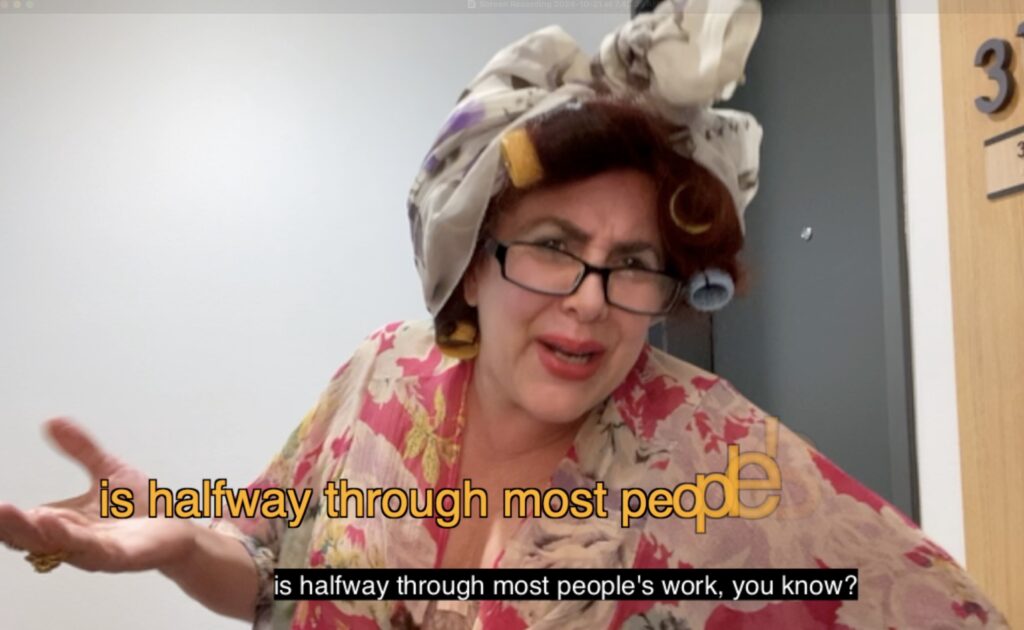
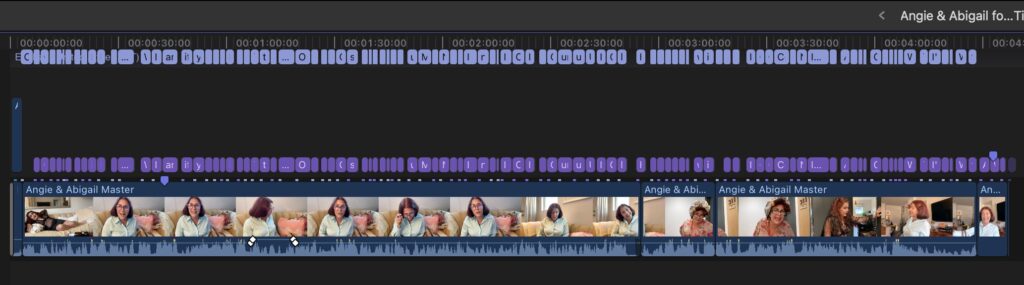
captionAnimator takes those closed captions and converts them into real open subtitles on your timeline — using any FCP Title as a template.
Your font. Your colours. Your animation. Exactly the way your content should look.
Trim Captions to shorter Titles!
Use built-in Titles, third party or design your own in Motion.
Built and supported by the same team behind some of the most trusted Final Cut Pro tools in professional use since 2012. Available exclusively on the Mac App Store.
Dedicated Developers. Real Support.
I was really disappointed by the lack of customization on Apple’s end, and this program allows me to change my subtitles to look however I want!
This is going to save me an incredible amount of time.
Thank you so much!
elliesk9, App Store Review
$19.99
“THIS will stay your best friend for a while. Not only is it awesome, it does more than other solutions. It integrates.”
Sebastian Leitner
Ready, Set, Go!
Ready
Add Closed Captions to your Final Cut Pro Project
Set
Add one, or more, Titles to your Project to use as a template for caption animation. Fine tune the color, size and animation in each of the Titles.
Set the length of your Titles to make them more readable.
Go!
Drag the Project to the captionAnimator Workflow Extension, choose the Titles you want to use as a template, and click Go.
In a few seconds you’ll have a new Project with all your Closed Captions as Titles.
“Transcribe to captions + Caption Animator on the App Store replaced my need for CapCut captions.”
Steven Michael Daudy
Trim Captions into
shorter Titles
Use a simple slider to limit the number of words per Title, trimming down long Captions into more easily read Titles.
The low end of 10-15 is great for word-by-word animations; around 30 for generally shorter titles.
Never leave Final Cut Pro
captionAnimator runs as a Workflow Extension inside FCP. Simply drag your captioned Project to the Workflow Extension.
Completely Language Independent
Whether you’re creating content in English, Spanish, Japanese or any other language, captionAnimator handles it without any additional configuration.
Fully Customizable
In Final Cut Pro, set the font, size, color and any animation. This Title, with these settings, will be used as a template for the closed Captions when they are converted to Titles.
Unlimited Animation Options
captionAnimator uses any Title you have installed in your FCP, including those from third party designers.
“I’m really glad that you made this app, like I said, it would be fast and easy for my workflow to get caption to Title for export burn-in with style.”
Weerapat Tembundit, Editor
Robin Kurz explains how to fix Final Cut Pro's Auto Captions