Music Reports, VFX Reports, Clip Reports, any report, made easy.
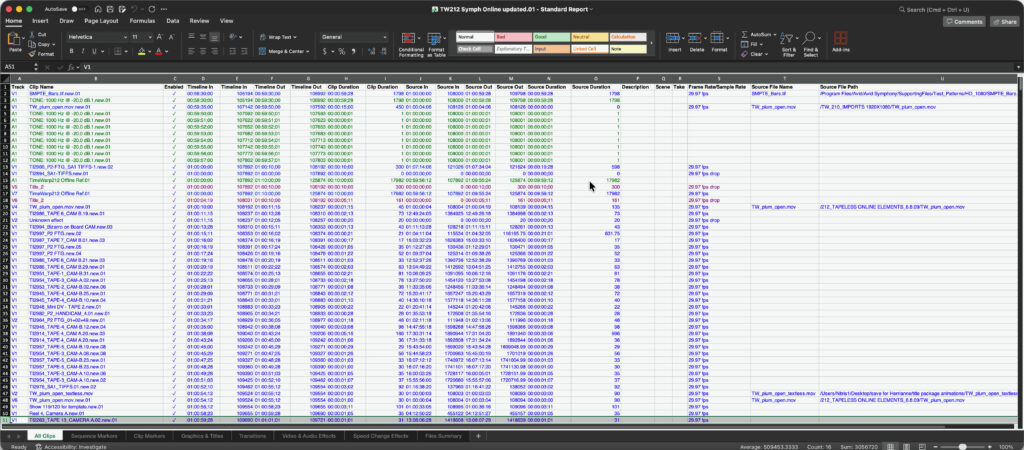
Production Clip Reporter turns your NLE sequence into a professional Excel spreadsheet — instantly.
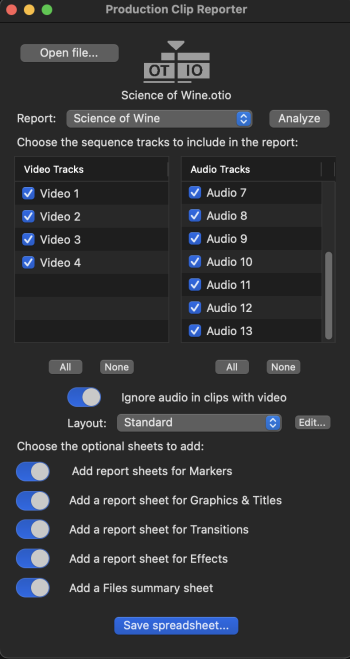
Generate professional production reports from Avid Media Composer, Adobe Premiere or DaVinci Resolve via OpenTimelineIO. Go beyond the Sequence Index.
Whether you’re the editor generating it, the coordinator submitting it, or the producer signing off on it — Production Clip Reporter speaks everyone’s language.
Generate clip lists, shot lists and track-accurate sequence reports instantly
Deliver editorial metadata to VFX, audio, QC, grading, legal and archive teams
Capture effects, transitions and markers — perfect for editorial turnovers
Supports Media Composer, Premiere, Resolve via OTIO for multi-tool pipelines
Exports clean Excel for producers, coordinators and post teams
Built for seasoned editorial professionals.
Built by the same team that created Sequence Clip Reporter, the reporting tool trusted by editorial groups at BBC, CBC, ITV, Disney, National Geographic, Warner Media, Discover, Netflix, NBC, ABC, Turner and CBS Sports, among our many clients.
Reports the full set of metadata from classic XML and all OTIO variations:
Perfect for delivery packages, shot logs, production reports, turnover docs, editorial reviews and client review packets.
All NLEs are supported in the same app
Purchase Options:
Monthly for $19.99 One Year for $129.99 Unlimited for $199.99
At $19.99 a month, Production Clip Reporter costs less than an hour of a post coordinator’s time and saves many.
Or save 46% on an annual plan and reduce admin.
For bulk purchases or site licenses contact info@intelligentassistance.com
Requires Apple Silicon
Production Clip Reporter Tour
A two minute tour showing how simple it is to generate high quality professional production reports from Media Composer, Premiere Pro or Resolve timelines.
OpenTimelineIO (OTIO) is intended to be an open-source interchange format as a successor to EDLs and XML. It is designed to describe editorial timelines in an application-agnostic way.